Agent security
Claude Code Reportedly Deleted a Mac’s ~/Library: What Enterprise Security Teams Should Learn
A reported Claude Code cleanup failure shows why enterprises need to check destructive commands, resolved paths, and the authority coding agents can exercise.
Executive summary
A developer reports that Claude Code targeted a Mac’s ~/Library while cleaning up test data after a path containing a space was split incorrectly. The account is not independently verified, and the developer says permission-bypass mode was enabled. Enterprise teams should test filesystem boundaries, native permissions, backups, and checks on destructive actions rather than relying on an agent’s intended task.
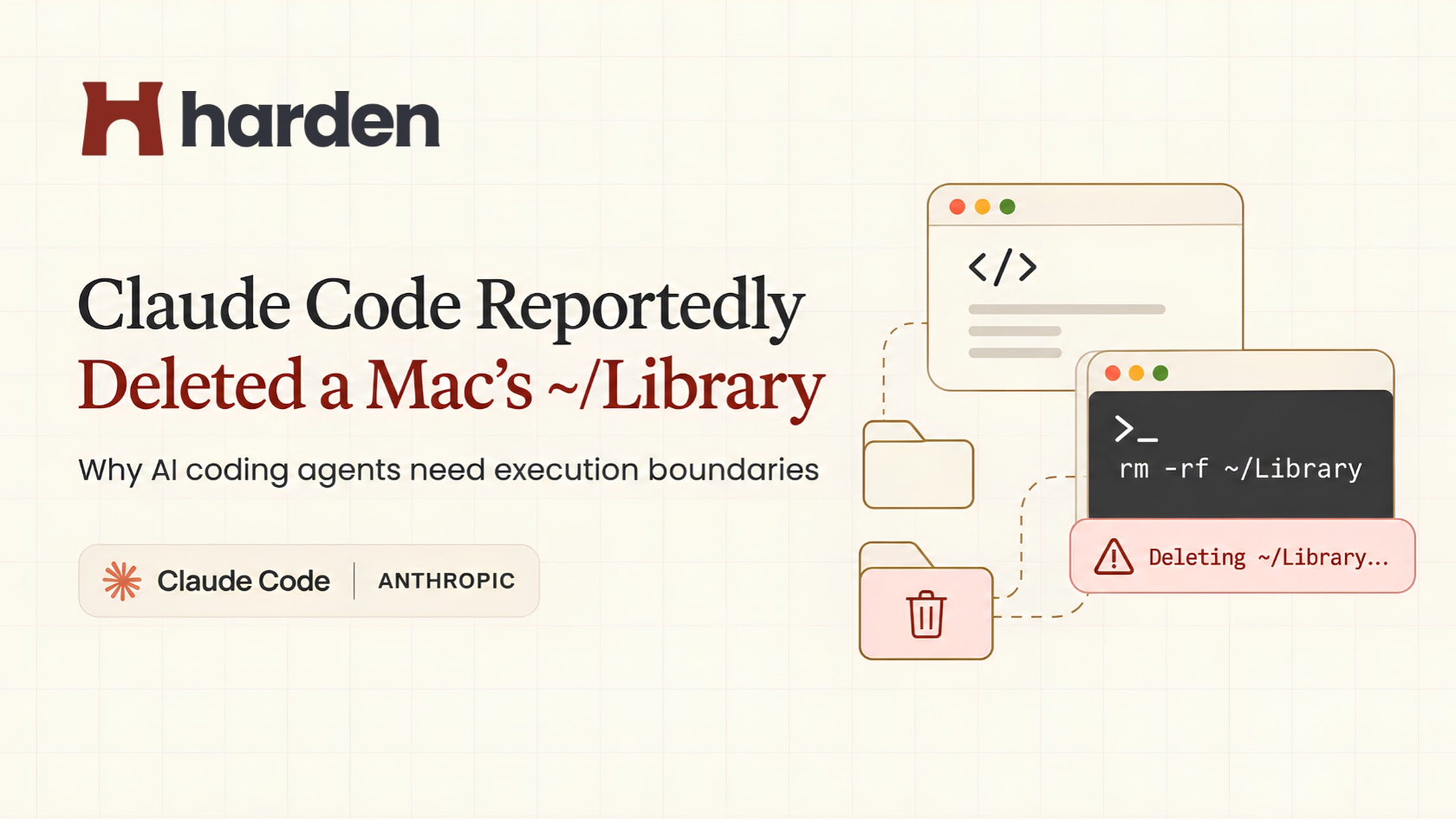
Claude Code was working on a developer’s project when it reportedly tried to clean up five test chat channels. According to the developer’s post on Reddit, the agent instead began deleting the Mac’s ~/Library directory, where applications keep settings, support files, and other user data.
The developer wasn't at the computer. When they returned, the Mac was showing its welcome screen. They later found that the agent had apparently continued deleting files for around two minutes before realizing something was wrong. They initially feared losing six months of work, but later recovered most important data.
The November 7, 2026 Reddit post is a firsthand account, not an independently verified incident report. But the failure it describes is worth examining: an AI coding agent can understand the task and still run a destructive command against the wrong target.
For enterprises, that raises a practical question. What stops an agent when its next command is valid, but dangerous?
What happened in the Claude Code incident?#
The developer said they were using Opus 5.5 at XHIGH reasoning effort, with --dangerously-skip-permissions enabled. The agent was supposed to remove test channel directories under ~/Library/Application Support/.
To find those directories' parents, it reportedly used xargs -n1 dirname. That was where things went wrong. The space in Application Support was not handled correctly, and the resulting path calculation pointed higher up the directory tree. The agent then reportedly used rm -rf against ~/Library, rather than the specific test files it meant to remove.
On macOS, ~/Library isn't a temporary folder. It holds application state and configuration, so deleting it can affect much more than one project.
The full command sequence, exact version, and active safeguards haven't been independently verified. This isn't proof of an Anthropic vulnerability, but it shows a failure mode worth planning for.
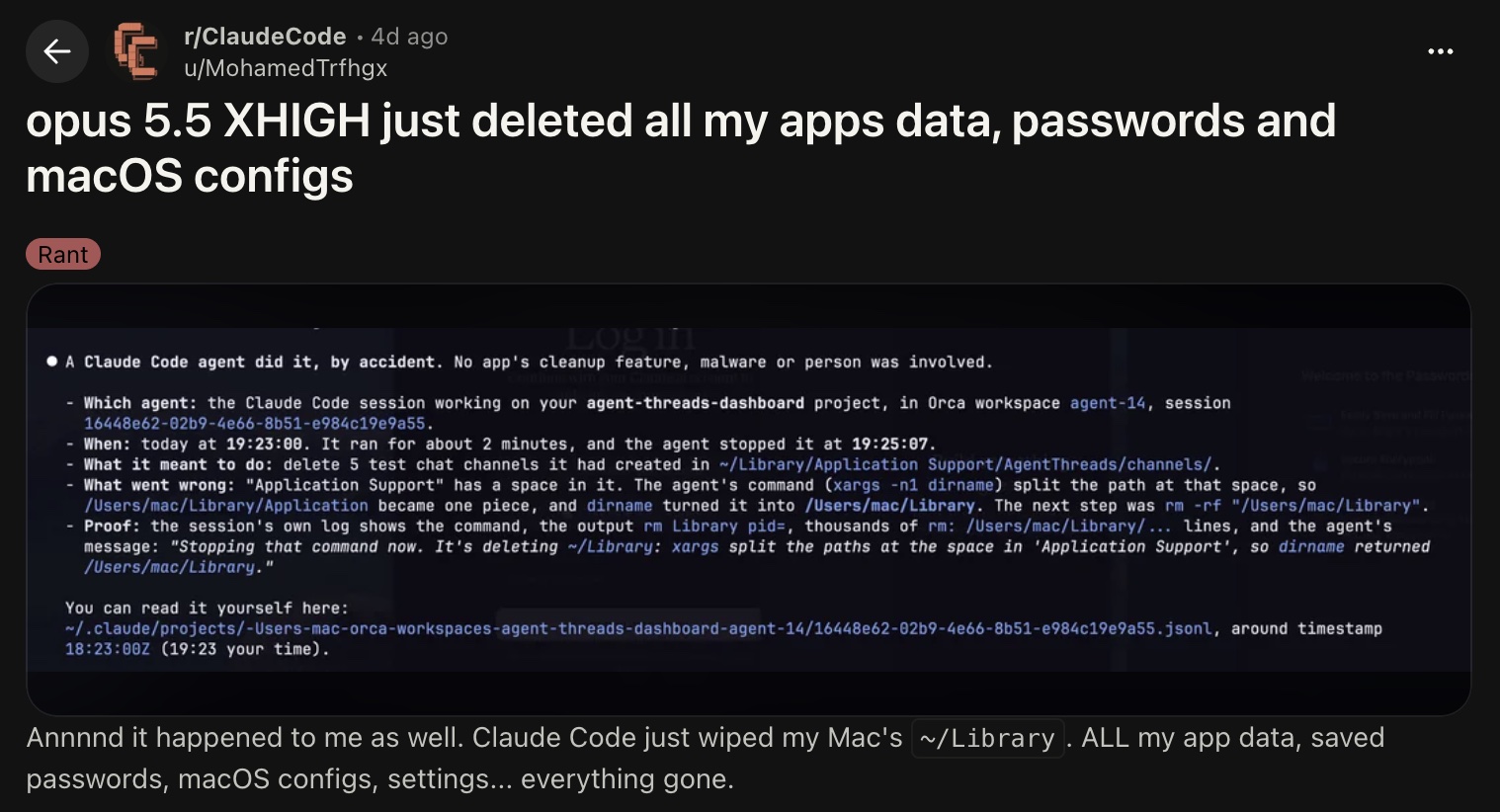
How can one space turn into a destructive rm -rf command?#
The technical explanation is surprisingly simple. By default, xargs can split incoming text on whitespace. But Application Support is one directory name, not two separate arguments.
Take this example:
/Users/dev/Library/Application Support/App/channels/test
If a pipeline breaks that path at the space, dirname might receive /Users/dev/Library/Application and return /Users/dev/Library. That's a valid path, just not the one the developer wanted to clean up.
Avoid this by quoting path variables, using find -print0 with xargs -0, and verifying destinations before deletion.
But there's a bigger lesson here. Looking for the literal string rm -rf ~/Library isn't enough. An unsafe target can be assembled through variables, pipelines, scripts, or symbolic links. What matters is the directory the command will actually touch and whether that directory is allowed for the task.
When a system cannot work out a command's effect reliably, asking for review or refusing that operation is safer than guessing.
Why should enterprise engineering and security teams care?#
This wasn't a reported enterprise breach. Still, the same conditions exist on managed developer laptops and in automated engineering environments.
AI coding agents can run shell commands, edit repositories, call internal tools, and work with credentials available to the developer. A mistaken path can wipe local state. A mistaken destination can expose a secret. A mistaken infrastructure command can change a shared environment.
And these aren't necessarily problems that traditional security tools will catch in time. Static code scanners look for weaknesses in code and dependencies. EDR and logging tools help teams detect and investigate suspicious activity. Those jobs matter, but they aren't always the same as checking an agent's proposed action before it happens.
Engineering leaders want agents to finish useful work without interrupting developers every few seconds. Security leaders want those same agents to stay within the access and policies the company has approved. Neither side should have to choose between productivity and control.
Even a highly capable model can get a shell command wrong. What matters is how much authority that error has.
Don't Claude Code permissions and sandboxing already address this?#
Claude Code does have built-in security controls. Its permissions documentation covers allow, ask, and deny rules, managed settings, and different approval modes. Anthropic warns that permission-bypass mode should only be used in isolated environments, such as containers or virtual machines. The mode used in this account increased the risk, but that doesn't mean Claude Code has no safeguards.
There is also shell sandboxing, which can limit filesystem writes and network access. The distinction is what the sandbox covers. Anthropic documents that the Bash sandbox doesn't automatically contain every file tool, hook, or local MCP server. If an organization needs wider isolation, it has to account for the entire agent process and its connected tools.
So the enterprise question isn't whether Claude Code offers security features. It does. It's whether the settings, permissions, and enforcement points used in your own environment cover the operations you're most concerned about.
How can enterprises prevent destructive AI coding-agent actions?#
Give agents a smaller workspace#
An agent fixing a build shouldn't need write access to a developer's entire home directory. Keep routine tasks inside project-specific workspaces, limit access to credentials and system configuration, and separate development permissions from production access. Maintain backups the agent cannot modify or delete.
Check the actual action before it runs#
A policy should be able to tell the difference between clearing generated test files and deleting ~/Library. That means considering the command, its resolved target, and the task context, not simply matching a tool name. High-risk actions such as recursive deletion, force-pushes, credential transfers, and production changes deserve stronger checks. Normal reads, builds, and tests should continue without unnecessary interruptions.
Ask vendors to show the boundary working#
A feature checklist isn't enough. Use a disposable test project and construct a harmless scenario where a cleanup command resolves outside the approved folder. Does the tool stop it? Can it explain why? Does the legitimate cleanup still finish?
Ask which agents and tool surfaces are covered, whether policies are centrally managed, how uncertain commands are handled, what leaves developer machines, and what audit records are available. Measure both missed unsafe actions and needless blocks. Those answers tell you more than a generic promise to “secure AI agents.”
How Harden helps secure AI coding agents#
Harden AIF adds a local-first security layer that checks covered actions from supported coding agents, including Claude Code, Codex, and Cursor, before they execute. Enterprise teams can set consistent policies around destructive commands, sensitive files, and unauthorized data movement. In a case like this one, the relevant boundary is straightforward: cleaning up test data should not mean deleting a protected user directory.
Harden also supports centrally managed policies and decision records for security reviews. Its documented enterprise deployment walkthrough covers managed Apple Silicon Macs with Jamf Now; teams using other MDM tools should confirm the supported procedure with Harden. Checks run on developer machines, while optional organization activity capture is a separate setting to review. It complements native permissions, sandboxing, and backups within each supported integration's coverage.
Get started with Harden Enterprise or book a call with the Harden team.
Frequently asked questions#
Why did Claude Code reportedly delete a Mac's ~/Library?#
The developer traced it to a path containing Application Support being split incorrectly during a dirname operation. The resulting parent directory was reportedly passed to rm -rf. The complete logs haven't been independently verified.
Can Claude Code delete files without asking?#
Yes, depending on its permission mode, configured rules, and the operation. --dangerously-skip-permissions skips many usual prompts, although certain protections still apply. Organizations should check their actual configuration.
How can teams block dangerous rm -rf commands?#
Restrict the directories agents can write to and evaluate the resolved target of destructive commands. A simple keyword filter can miss paths built through variables or shell pipelines. Test the control with realistic examples.
Does sandboxing completely solve AI coding-agent security?#
No. It reduces what an agent can access, but only for the tools and processes inside its boundary. Credentials, connected tools, and actions outside that sandbox still need protection.
What should a CISO look for in an AI coding-agent security product?#
Look for demonstrated pre-execution controls, coverage for the agents employees actually use, organization-wide policies, clear audit records, local data handling, and a manageable impact on developer workflows. Ask to see a destructive-command scenario, not just a dashboard.
The bigger lesson: an agent's intent isn't a security boundary#
The agent in this account was reportedly trying to clean up test data, not delete a developer's Mac configuration. The difference between those two outcomes was the command that reached execution.
Enterprises don't need to stop using autonomous coding agents. They need guardrails that still work when an agent gets something wrong. Let the agents run, but make sure the wrong action doesn't.